
.png)
Description
Download AI Music Creator: Text to Song – AI‑powered music generator, free trial, secure web app
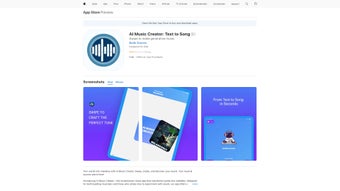
AI Music Creator: Text to Song is a cutting‑edge web‑based application that turns plain text into original melodies in seconds. Whether you are a content creator looking for background tracks, a teacher wanting custom jingles for lessons, or simply someone who loves to experiment with sound, this tool lets you generate songs without any musical background. By typing a phrase, mood, or even a short story, you can instantly receive a full‑length composition in styles ranging from soothing ballads and pop anthems to gritty rock riffs and rap verses. The platform runs entirely in the browser, which means you can compose on Windows, macOS, Android, or iOS devices without downloading bulky software. Its intuitive swipe interface lets you accept or reject lyrical adjectives, fine‑tune the emotional tone, and shape the final output to match your vision. With a subscription‑based model that includes optional in‑app purchases for premium genre packs and higher‑resolution exports, AI Music Creator balances accessibility with professional‑grade results. This review dives deep into the core features, setup process, system compatibility, and overall value, giving you a clear picture of whether this AI music studio deserves a spot in your creative toolbox.
Compatible with all modern browsers on Windows 10/11, macOS 12+, Android 8+, and iOS 13+ (desktop and mobile).
Key Features of AI Music Creator: Text to Song
- Instant Text‑to‑Music conversion – type any phrase and receive a complete track within seconds.
- Multi‑genre library – choose from Ballad, Pop, Rock, Hip‑Hop/Rap, EDM, Jazz, Classical, and Ambient.
- Emotion‑driven adjectives – swipe left/right to reject or keep suggested descriptors (e.g., “melancholy,” “upbeat”).
- Adjustable tempo, key, and instrumentation – fine‑tune BPM, tonal center, and instrument layers.
- High‑quality export options – MP3 (128 kbps free), WAV/FLAC (premium), and stem files for remixing.
- Cloud‑based project storage – access your creations from any device with a single login.
- Collaborative playlist mode – share a link and let friends co‑edit or vote on track variations.
- Integrated royalty‑free sound library – add loops, samples, and vocal hooks without extra cost.
- AI‑driven lyric generation – optional feature that expands your short text into full verses.
- Regular model updates – new genre packs and style refinements added monthly.
Installation & Usage: How to Get Started in Minutes
Because AI Music Creator is a web‑app, there is no traditional installation process. Follow these simple steps to start creating music right away:
- Create an account. Visit aimusiccreator.com and click “Sign Up.” You can register using an email address, Google, or Apple ID. A free trial grants three full‑length song generations per day.
- Choose your subscription. After the trial, select a monthly or annual plan. The basic plan ($9.99/month) includes unlimited song generation, while the Pro plan ($19.99/month) unlocks premium genres, high‑resolution exports, and collaborative features.
- Enter your text. In the main dashboard, locate the “Enter Text” field. Type a phrase, mood word, or short paragraph. For example, “sunset over the ocean, feeling hopeful.”
- Select a style. Below the text box, pick a genre. The AI will tailor chord progressions, instrument palettes, and rhythm patterns to match the chosen style.
- Refine adjectives. The app suggests emotional adjectives based on your input (e.g., “warm,” “energetic”). Swipe right to keep, left to discard. This step influences the melodic contour and harmonic tension.
- Preview and edit. Click “Generate.” A 30‑second preview plays automatically. Use the sliders to adjust tempo, key, or instrument volume. You can also enable “Lyric Expansion” to turn your text into verses.
- Export or share. Once satisfied, click “Export.” Choose MP3 for free users or WAV/FLAC for Pro members. You can also copy a shareable link that opens the track in the browser for collaborative feedback.
- Save to the cloud. All projects are auto‑saved to your account. Access them later from any device, edit, or re‑export with new settings.
The interface is designed for both beginners and seasoned producers. For power users, the “Advanced Settings” panel offers control over individual instrument layers, AI temperature (creativity level), and even custom sample uploads (Pro only). Because everything runs on cloud servers, your local device’s performance is hardly a factor; even older smartphones can generate full tracks in under a minute with a stable internet connection.
Conclusion: Should You Download AI Music Creator: Text to Song?
Pros
- Instant music generation saves hours of composition time.
- Wide genre selection covers most creative needs.
- No software download; works on any modern browser.
- Swipe‑based adjective system adds a playful, intuitive layer of control.
- Cloud storage and collaborative playlists foster teamwork.
- Regular AI model updates keep the sound fresh and relevant.
Cons
- Free tier limits daily song generations; heavy users need a paid plan.
- High‑resolution (WAV/FLAC) exports are locked behind the Pro subscription.
- AI‑generated melodies may occasionally sound generic if input is too vague.
- Requires a stable internet connection; offline usage is not supported.
- Advanced editing features (e.g., custom samples) are only available on the Pro plan.
Frequently Asked Questions
Can I use the generated music for commercial projects?
Yes. All tracks created under a paid subscription come with a royalty‑free license for commercial use, including videos, podcasts, and advertisements.
Is there a way to export stem files for remixing?
Stem export is available only to Pro subscribers. You can download separate tracks for vocals, drums, bass, and harmony to remix in your DAW.
How does the AI understand my text input?
The engine combines natural‑language processing with a music generation model trained on millions of songs. It extracts mood, tempo cues, and lyrical themes, then maps them to chord progressions and instrumentation.
Do I need a fast computer to run the app?
No. Because the heavy AI computation occurs on remote servers, any device with a modern browser and a stable internet connection can generate songs quickly.
What payment methods are accepted for the subscription?
Credit/debit cards (Visa, MasterCard, Amex), PayPal, and Apple/Google Pay for mobile users are supported.
Final Verdict & Call to Action
AI Music Creator: Text to Song delivers on its promise of turning words into melodies with impressive speed and quality. While power users may crave deeper DAW‑level control, the platform strikes an excellent balance between accessibility and professional output. For marketers, educators, YouTubers, or anyone who needs custom music on the fly, the free trial provides enough insight to decide if the subscription is worth it. Ready to turn your ideas into sound? Download AI Music Creator: Text to Song now and start crafting personalized tracks today.
Guides & Tutorials for AI Music Creator Text to Song
How to install AI Music Creator Text to Song
- Click the Preview / Download button above.
- Once redirected, accept the terms and click Install.
- Wait for the AI Music Creator Text to Song download to finish on your device.
How to use AI Music Creator Text to Song
This software is primarily used for its core features described above. Open the app after installation to explore its capabilities.
User Reviews for AI Music Creator Text to Song 0
No reviews found




